684
conditions in the built-in DBQ catalog, matched to the right exam
NewAI automation builder
Client files, auto-filled VA forms, e-signature, a branded veteran portal and every deadline you are tracking — all included, all in one login. No other services needed.
15 days freeCard required, cancel any timeNo setup or per-claim fees
21-22a auto-filledfrom Marcus D.’s file · 6 seconds
Signed in the portalMarcus D. · audit trail attached
684
conditions in the built-in DBQ catalog, matched to the right exam
Seconds
to a signature-ready 21-22a, filled from the client’s file
$0
extra for e-signature, storage, or the number of claims you file
One
login in place of a case manager, an e-sign account, a drive and a spreadsheet
The whole practice
Nothing to integrate, no second vendor to chase when something breaks, and no line items that grow with your caseload.
Client file
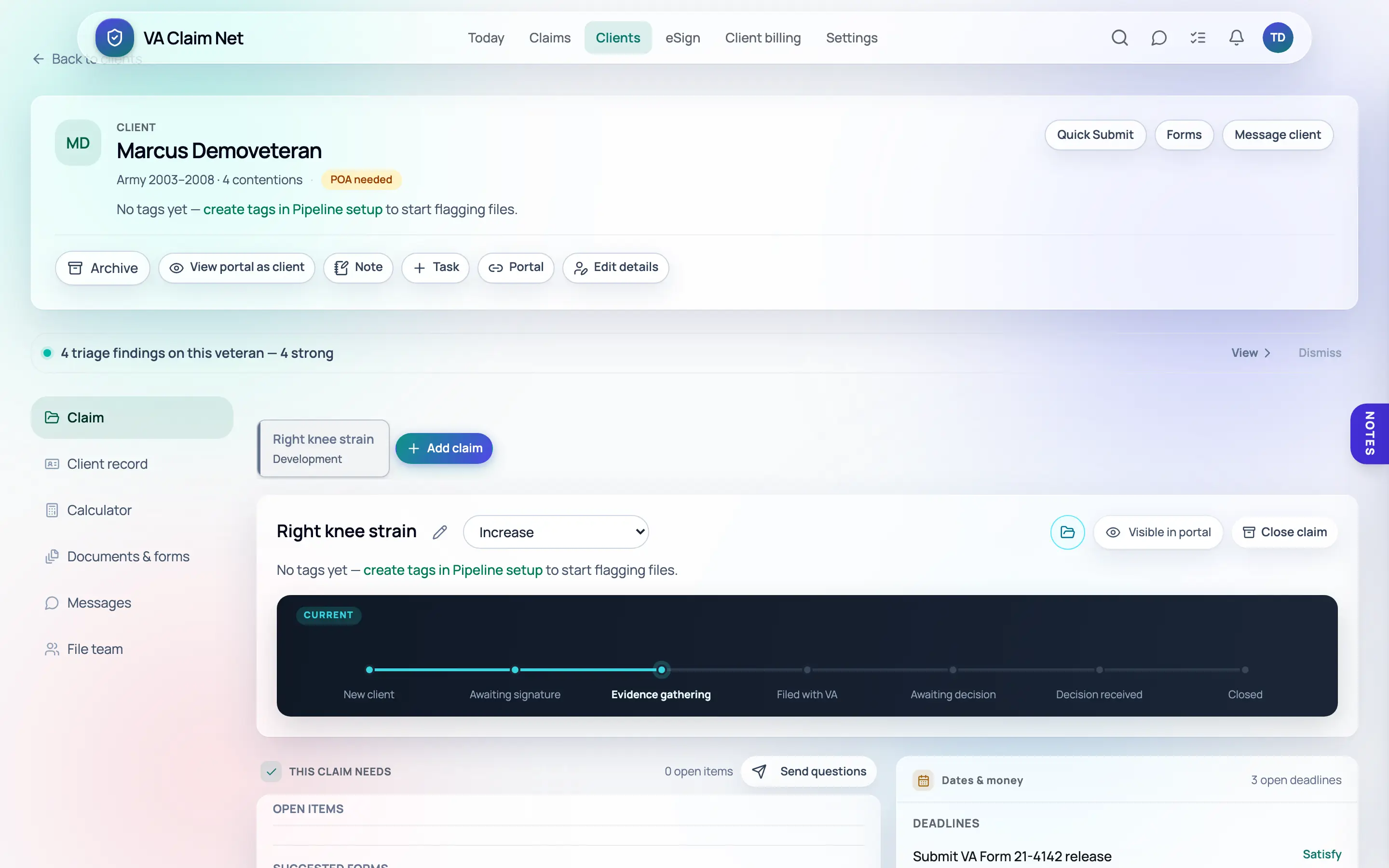
Service history, conditions, evidence, correspondence and every open claim live in one record your whole team can see. Nobody asks who has the C-file, and nobody works from last week’s copy.
VA forms + e-signature
The veteran’s information flows out of the file and into the form. Send the signature request by email, the veteran signs inside their secure portal on any device, and the signed copy files itself back into their documents with the audit trail. E-signature is included — no second bill, no per-envelope charge.
VA Form 21-22a
Appointment of Individual as Claimant’s Representative
SECTION I — VETERAN’S IDENTIFICATION INFORMATION
Completed automatically · verified against the client record
Veteran’s name
Whitfield, Marcus D.
VA file number
•••-••-4417
Date of birth
03 / 14 / 1984
Service dates
06/2004 – 09/2012 · U.S. Army
Representative — name and accreditation
Dale R. Whitfield · Accredited Agent · Whitfield & Associates
Marcus D. Whitfield
Signature of claimant
Client portal
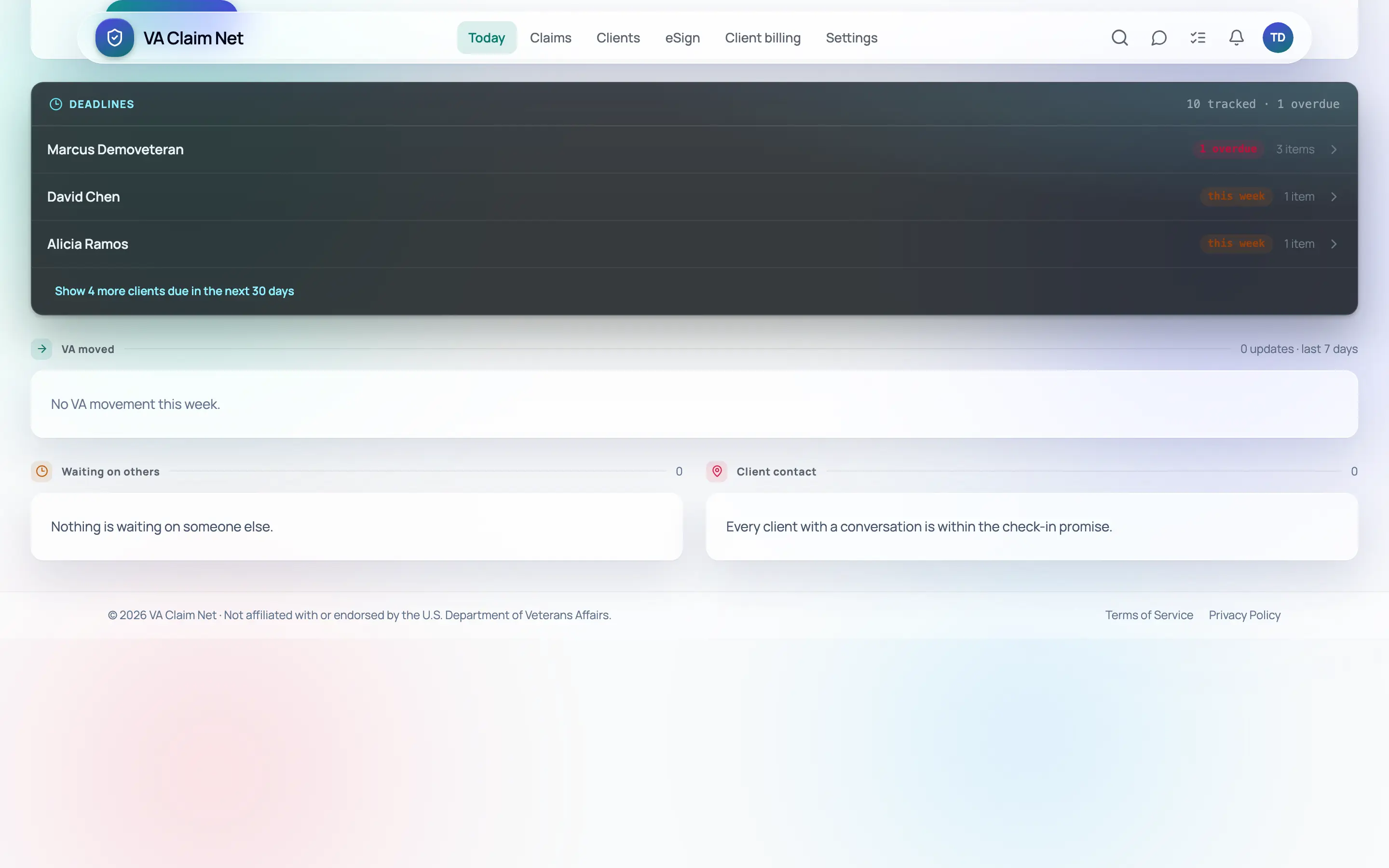
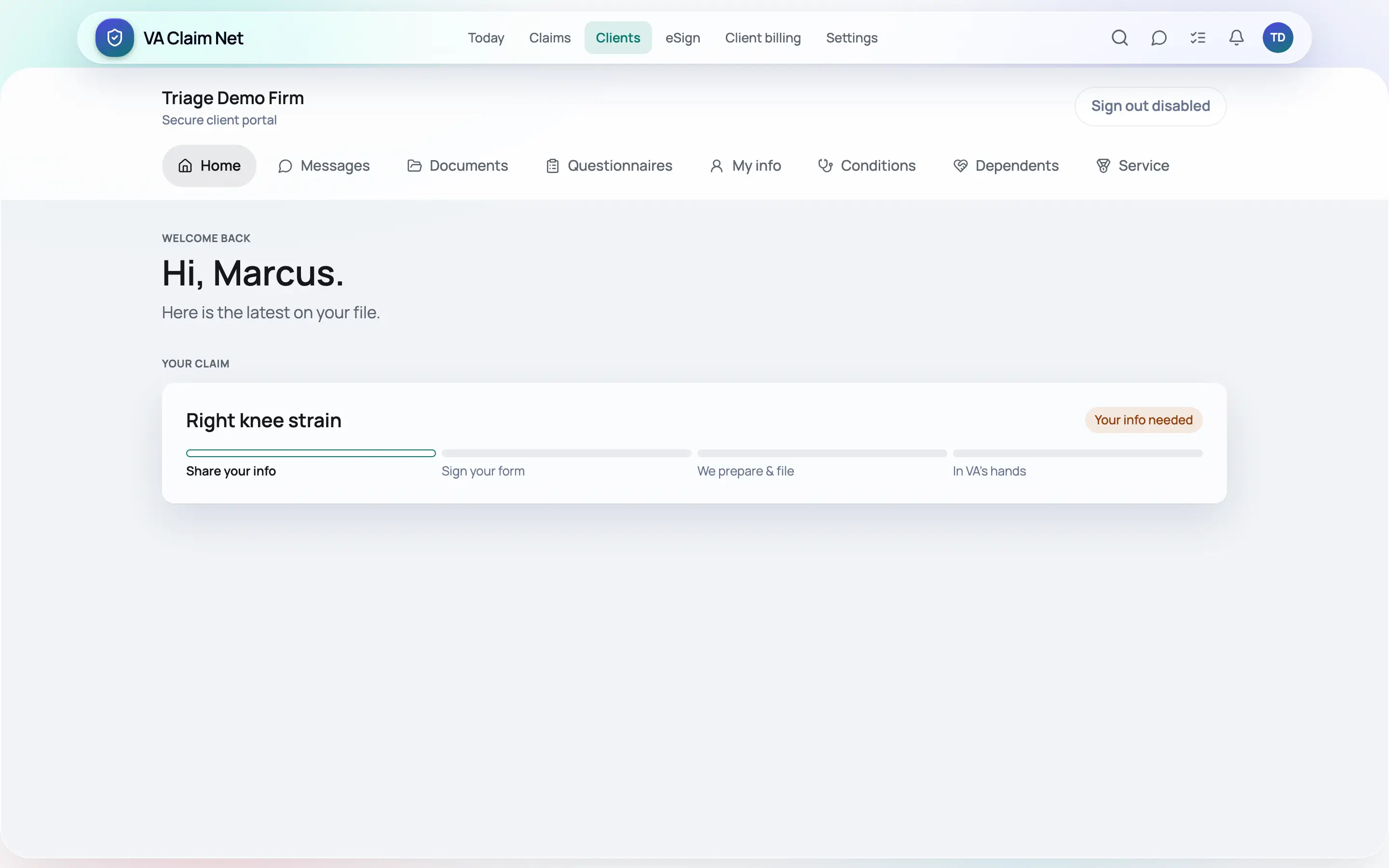
Your firm’s name and colors, one secure login per client. Veterans upload discharge papers and treatment records, answer intake questions, sign forms and message your team — a dozen phone calls a week your staff stops taking.
Pipeline & deadlines
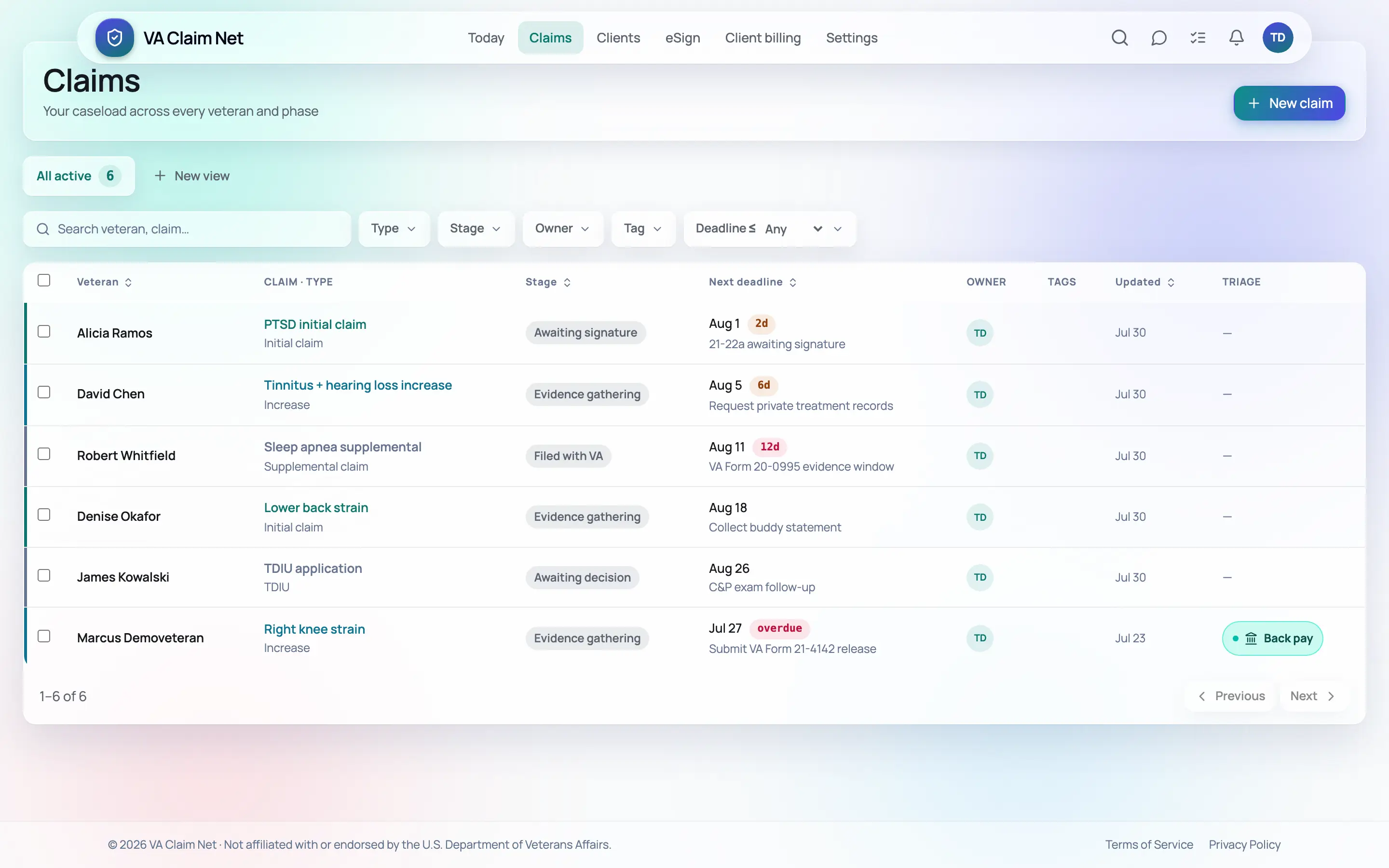
Every claim sits in one pipeline by stage with the evidence window, the appeal deadline and the next follow-up on the card. Your dashboard tells you what is due today before a client calls to ask, and reminders go out whether or not anyone remembers.
ShowcaseAutomation builder
Write the sentence the way you would say it to a new paralegal. You get back a working sequence you can read, edit step by step and switch on — no rules syntax, no consultant, no implementation fee.
“When a new client signs the 21-22a, start my intake checklist, request the DD-214 and their treatment records in the portal, and remind me in ten days if nothing has been uploaded.”
VA Claim Net builds
When the 21-22a is signed
Edit any step, add a condition, or turn the whole thing off — it is your workflow, not ours.
Turn on automation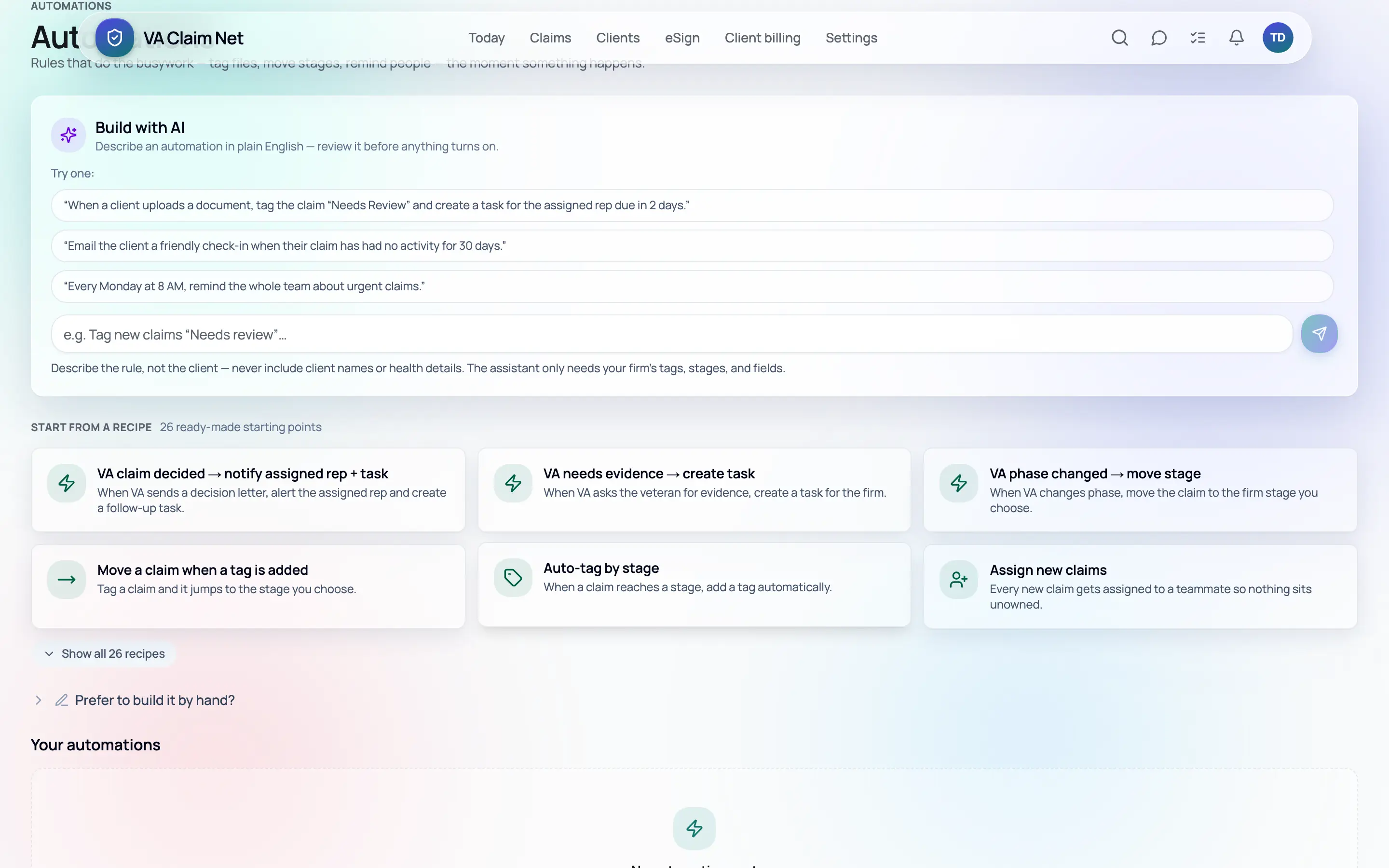
Direct VA integration. File and track claims without leaving VA Claim Net — included in your representative seat when it ships, never an add-on.
Security & privacy
Every file here is somebody’s service history and medical evidence. The security page spells out exactly how it is protected, in plain terms you can forward to your malpractice carrier.
Pricing
No per-claim fee, no per-file fee, no storage fee, no e-signature bill. Most of this industry makes you sit through a sales call to learn what software costs.
15 days free · card required to start · cancel any time · no setup fee
Straight answers
VA-accredited representatives, agents and attorneys, and the staff who work their files. We sell only to accredited practitioners. We do not market to veterans, and we never touch a claim ourselves — the software is your practice’s, run by you.
$1,499 a month for each representative seat and $89.99 a month for each staff seat. One price, everything included — no per-claim fee, no per-file fee, no storage fee. The bill does not grow when your caseload does.
You get 15 days free. A card is required to start, and it is not charged until the trial ends. Cancel before then and you are never billed. There is no setup fee and no contract.
The forms a practice touches every week — 21-22a, 21-526EZ, 21-4142, 21-0781 and more — auto-filled from the client’s file in seconds, so a signature-ready form is a click, not an afternoon.
E-signature is included at no extra cost. The request goes out by email, the veteran signs inside their secure portal on any device, and the signed copy lands back in their file with a full audit trail.
Records are encrypted in transit and at rest. Social Security numbers are encrypted separately and masked by default. Access is role-based — owners and admins decide who can open which file — and sensitive actions are written to an audit log with a name and a timestamp. The platform is hosted on infrastructure providers that maintain SOC 2 attestations, your data is stored in the United States, and there are no advertising or analytics trackers anywhere in the product. The security page walks through all of it.
With HIPAA-aware practices — health records are encrypted in transit and at rest, access is role-based, and sensitive activity is audit-logged.
It is a secure portal in your firm’s name where each veteran logs in to upload documents, answer intake questions, sign forms and message your team. Invitations go out by email. Everything happens inside the logged-in portal, which is why signed forms carry an audit trail worth having.
Yes. Import your client list from a CSV — spreadsheets and most case-management systems export one — map the columns once, and your files are in. Bring the rest across as they come up for action. No implementation fee, and no onboarding call to schedule.
Cancel any time — it is month to month, with no contract and no cancellation fee. Your clients, claims and documents can be exported whenever you want, and we delete your data on request.
Start the trial, import a client, and send a 21-22a for signature this afternoon.
Sold only to VA-accredited representatives, agents and attorneys.